

160 cm · 90 → 55 kg
A 35 kg weight-loss goal on the same photo, from waist and arms to legs.
Type in your height, weight and measurements to see your body in 3D, now and at your goal, side by side. Then put that goal on your own photo: same face, same hair, same outfit, new shape.
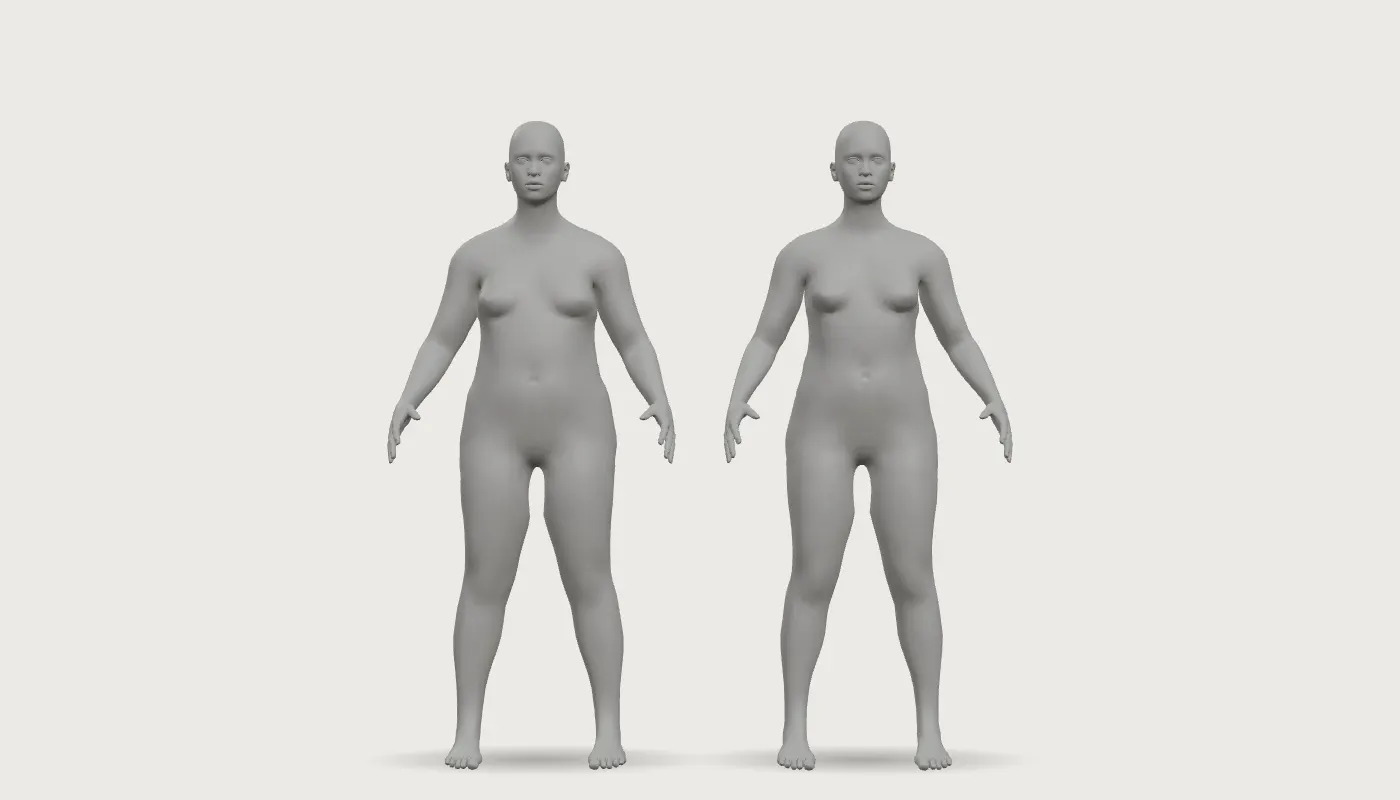 NowGoal
Loading your 3D body…
The 3D body visualizer uses no credits. Photos start at 1 credit.
Upload one full-body photo and the body visualizer AI shows you at your goal, as 1 photo or a 4-step ladder from now to there.
Tap a card to load the photo and numbers, then generate the same kind of result with the realistic body visualizer.
A 35 kg weight-loss goal on the same photo, from waist and arms to legs.


A 20 kg goal for a man, with the same shirt and room.


The 4-step ladder: 88, 79, 71 and 62 kg on the same photo, so every stage toward the goal is visible.
From a quick look at your own numbers to a goal on your own photo, here is what people do with a human body visualizer.
Type in height and weight, open More measurements if you know them, and turn the model to see your shape from the front, side and back.
Drag the goal weight and watch the Goal model change next to Now, with BMI and the difference in kg or lb.
See yourself at your goal weight, in your own clothes and your own room.
Set a goal above your current weight to see a fuller, stronger frame on your own photo.

Download the silhouette PNG or copy a link that opens with your numbers, ready for a friend or a progress post. No photo is included.
Reuse the settings from History with a new photo when your numbers change.
A body simulator for anyone who wants to see a goal before working toward it, at home, at the gym or at the drawing desk.
On a slow week the scale barely moves. Seeing yourself at your goal weight gives you a reason to keep going.
Open the body visualizer
Plan a bulk by seeing what a few more kilos look like on your shoulders, chest and waist before you commit.
Open the body visualizer
Show a client their goal on their own photo, with their permission, and set the plan from there.
Open the body visualizer
Get a body reference at your own measurements, a 3D body visualizer for drawing that you can turn to any angle.
Open the body visualizer
Enter bust, waist, hips and inseam to see the proportions you are drafting for.
Open the body visualizer
How to see your body at a different weight, from numbers to your own photo.
Pick cm/kg or ft/lb, then type in your height, current weight and goal weight. Your Now and Goal bodies appear in 3D side by side.
Tap See this goal on your own photo. Your numbers come with you. Sign in with Google and upload a front-facing photo.
Choose 1 photo or a 4-step ladder, generate, and drag the slider between your photo and your goal. Download what you want to keep.
Most body visualizer websites show you a grey mannequin and stop there. This realistic body visualizer takes the same goal onto a photo of you.
A grey figure with your BMI is easy to shrug off. A photo of you at your goal is not. Upload one full-body photo and see yourself at that size.
Same face, same hair, same clothes, same room, same pose and light. Only your body shape changes, so it is still you, just at a different size.
A big goal can feel far away. The 4-step ladder shows four photos from now to your goal, so you can see what the first 5 or 10 kg will change.
Many tools give men one stiff model that barely moves. Here the shoulders, chest, waist and arms change as the numbers change, on men's bodies as much as women's.
Set the goal once in 3D and one tap carries your height, weight, goal and units into the photo tool. Nothing to type twice.
Does weight look different on people? Yes, and a 3D body visualizer shows why one number can describe very different bodies.
Open the body visualizer01

BMI is weight in kilograms divided by height in meters squared. It does not know where the weight sits on your frame.
02

03

04

A body measurement visualizer is only as close as its inputs. Here is what each control moves on the 3D model.
Set the overall size. Every other measurement starts from these two as Auto.
Changes the upper torso without touching the waist, so a fuller bust or a broad chest shows on the model.
Move the middle and the lower body, and set the waist-to-hip ratio in the result bar.
Shoulders widen or narrow the frame from the top; inseam sets leg length against the torso.
Hourglass, Pear or Apple sets bust, waist and hips in proportion in one tap. Edit any number afterwards and the shape becomes Custom; tap Reset to auto to go back.

Switch the body visualizer between cm and kg and ft and lb at any time. The model stays exactly where it is.
What is a good weight for my height? Use these ranges to pick a goal you can live with, then use the preview to picture it.
The WHO puts a healthy BMI for most adults at 18.5 to 24.9. Under 18.5 is underweight, 25 to 29.9 is overweight and 30 or more is obesity.

The WHO links a ratio of 0.85 or more for women and 0.90 or more for men with higher abdominal health risk.
A goal can mean losing fat, building muscle or gaining weight back to a healthy range. The body visualizer handles each one the same way.

Your 3D model and photo show the shape you are aiming for. Take it to your coach or doctor and plan the route together.

How this 3D body visualizer compares with other body visualizer websites on what you can see and how you pay.

Your 3D numbers stay on your device, and the photos you add to the body visualizer are seen by you alone.
Your height, weight and measurements are turned into a 3D model on your device and are not sent to our servers. They only go into a link when you tap Copy link.
Uploading a photo needs a Google sign-in and an 18+ confirmation, so your results sit in your own account.
There is no public gallery and no share button on photo results. Delete any result and its original whenever you want.
The photo you upload is deleted after 30 days. Your generated results stay until you delete them.
The 3D body visualizer costs nothing to use. Credits are only for photos, and every button shows its cost first.
A 4-step ladder is 4 credits. The price is on the Generate button before you tap it.
New accounts get 2 starter credits, enough to see yourself at one goal and try a second.
12 credits $4.99 · 30 credits $9.99 · 65 credits $19.99. Buy once, use them when you want. See pricing
If a photo can't be processed, the credit goes straight back to your balance.

What people on r/loseit asked of an older body visualizer website, in their own words. (User voices from a public thread about other tools, not reviews of TheBodyVisualizer.)


These are the people TheBodyVisualizer is built for: anyone who wants to see their own body, not an average one, at the goal they are working toward.
Answers about the 3D body visualizer, photo previews, privacy and credits.
Open the body visualizerA body visualizer turns your height, weight and measurements into a 3D body you can turn and compare. This one also shows your goal on your own photo.
The more measurements you enter, the closer the shape. Height and weight alone give a typical body for those numbers; bust, waist, hips, shoulders and inseam make it yours.
Not for the 3D body visualizer. A photo is only needed when you want to see the goal on yourself.
At 5 ft 8 in, 200 lb is a BMI of about 30.4, which the WHO classes as obesity. Type both numbers into the body visualizer to see that body next to a goal in the healthy range of 18.5–24.9 (about 122–164 lb at that height).
A note under your result shows the healthy range for most adults, 18.5–24.9, so you can pick a goal inside it. The model and photo still show your numbers.
Yes. On a phone the model stays pinned at the top while you scroll the controls, and you swipe sideways to turn it.
Yes. The body visualizer shows the goal you are aiming for. Bring it to a doctor or a registered dietitian and build your weight or health plan together.
Yes, including commercially. Upload only photos of yourself or of someone who has given you permission.
Where the BMI ranges, waist-to-hip thresholds and 3D human body visualizer model come from.
World Health Organization, body mass index classification for adults. Source
World Health Organization, Waist Circumference and Waist–Hip Ratio: Report of a WHO Expert Consultation (2008). Source
An open-licensed parametric human body model, licensed for commercial use and rendered in your browser.
Type in your numbers, see Now and Goal side by side, then put that goal on your own photo. New accounts get 2 starter credits for photos.
Open the body visualizer